3-4 Qt Creator Installation
Please install Qt5.6.3 in Ubuntu 22.04, we'll use it as our mainly used version, Qt5.12.10 has some good examples, also can be used as references, but it's optional.
Download and install Qt from the below,
If you run a Qt version different from the one of the previous time, it may lead to errors. This is because All Qt versions used the same location for saving settings. To avoid such errors, you may backup the settings for individual versions.
The locations of Qt settings :
Linux: ~/.config/QtProject
Windows: %appdata%/QtProject
Before running of Qt Creator, we need to set the
environment variables.
Open a terminal window, input the commands,
unset LD_LIBRARY_PATH
source /opt/poky/3.1.31/environment-setup-aarch64-poky-linux
Run Qtcreator ( Qt5.6.3 )
cd ~/Qt5.6.3/Tools/QtCreator/bin/
./qtcreator
Select the menu of Qt Creator
Tools/ External/ Configure
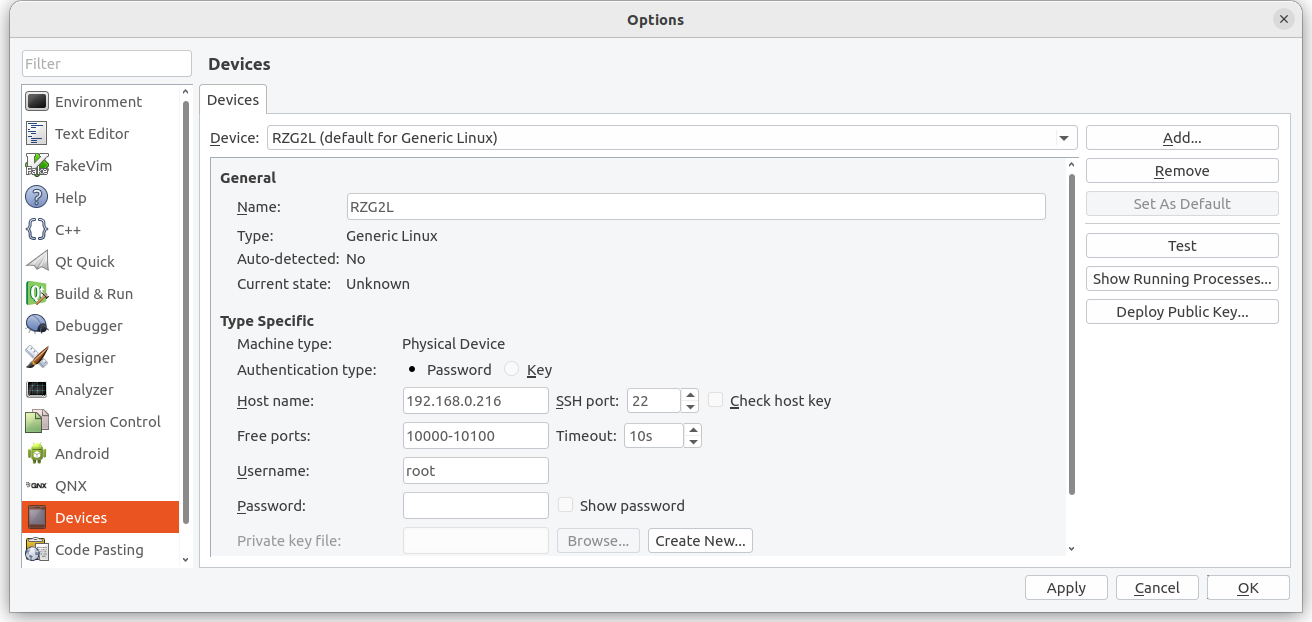
On the left side, click on Devices, Input the
IP of RZ/G2L, click Test to start connection test.
Set Kits
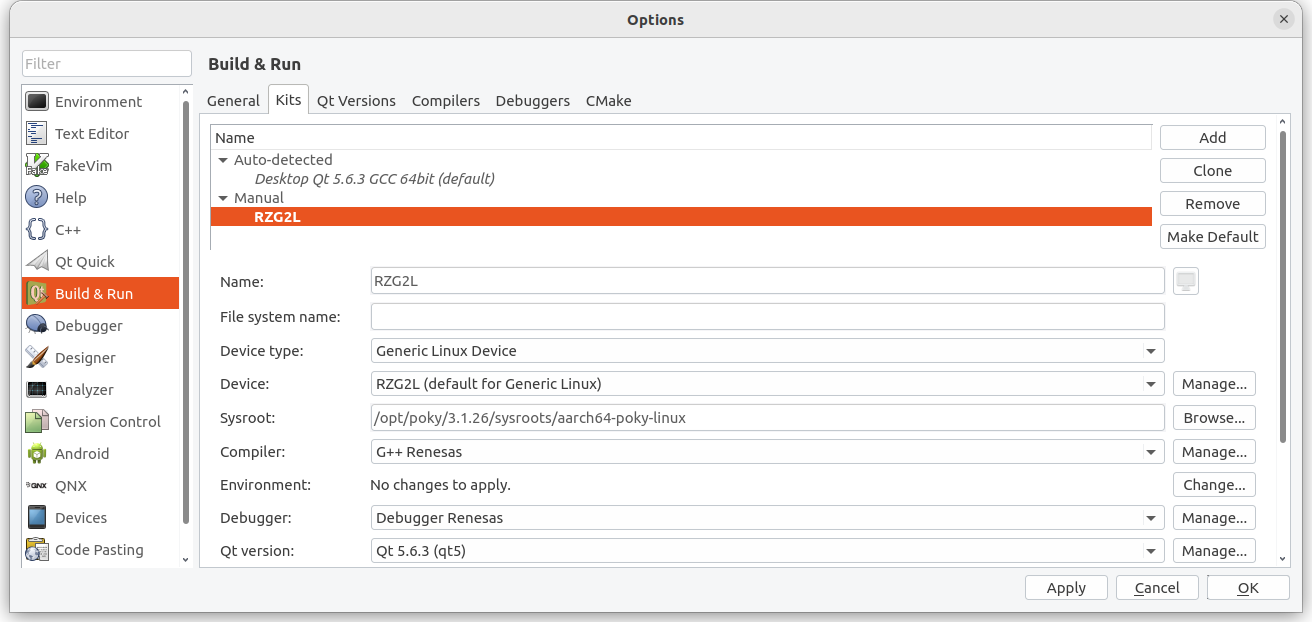
Click on Build & Run on the left, Choose Kits, Then Add, Set Name as
"RZ/G2L", Set C/C++ Compiler, Debugger, Qt Version, alternatively you can click on the
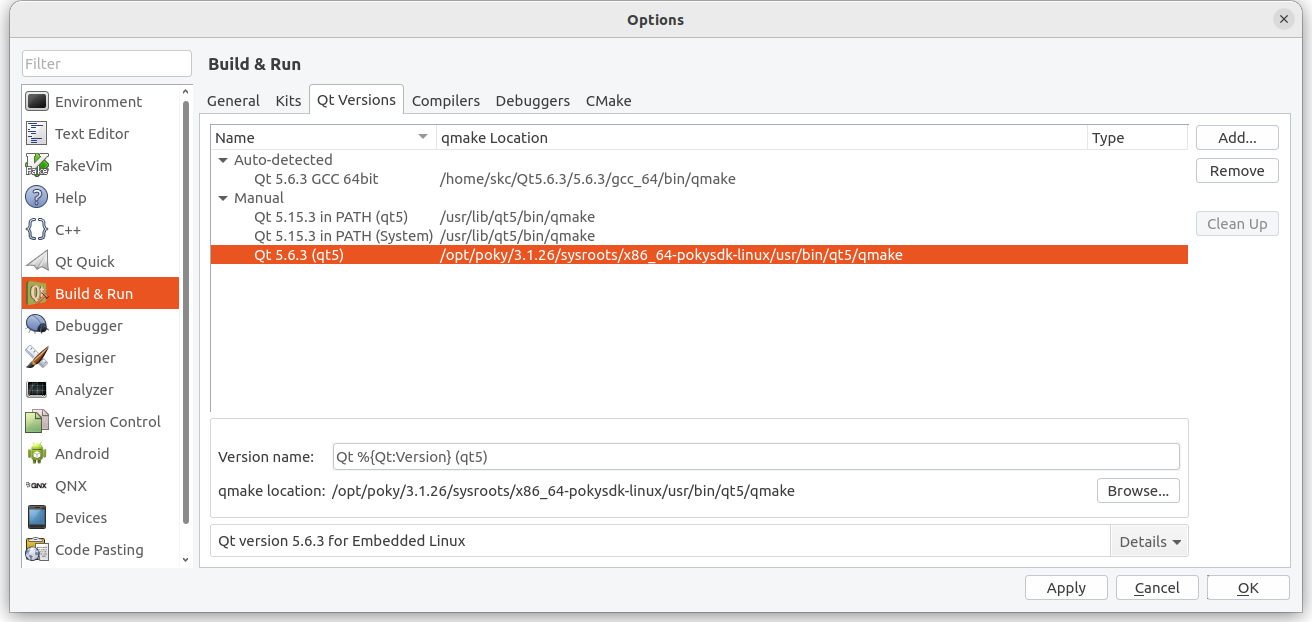
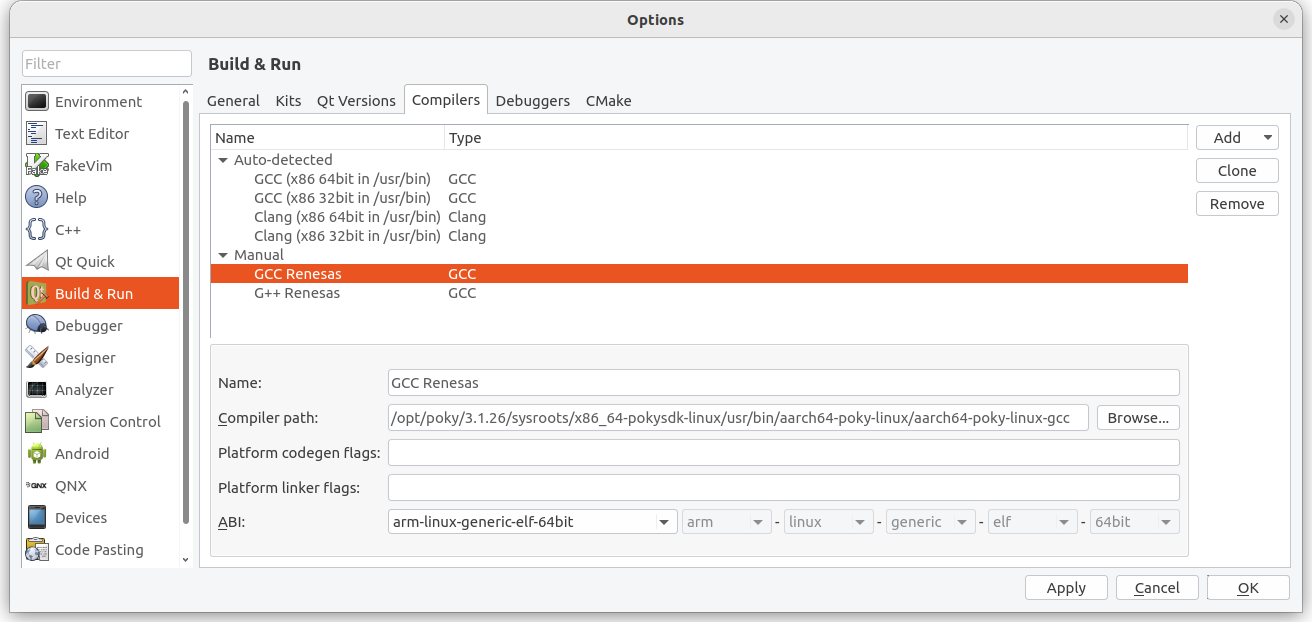
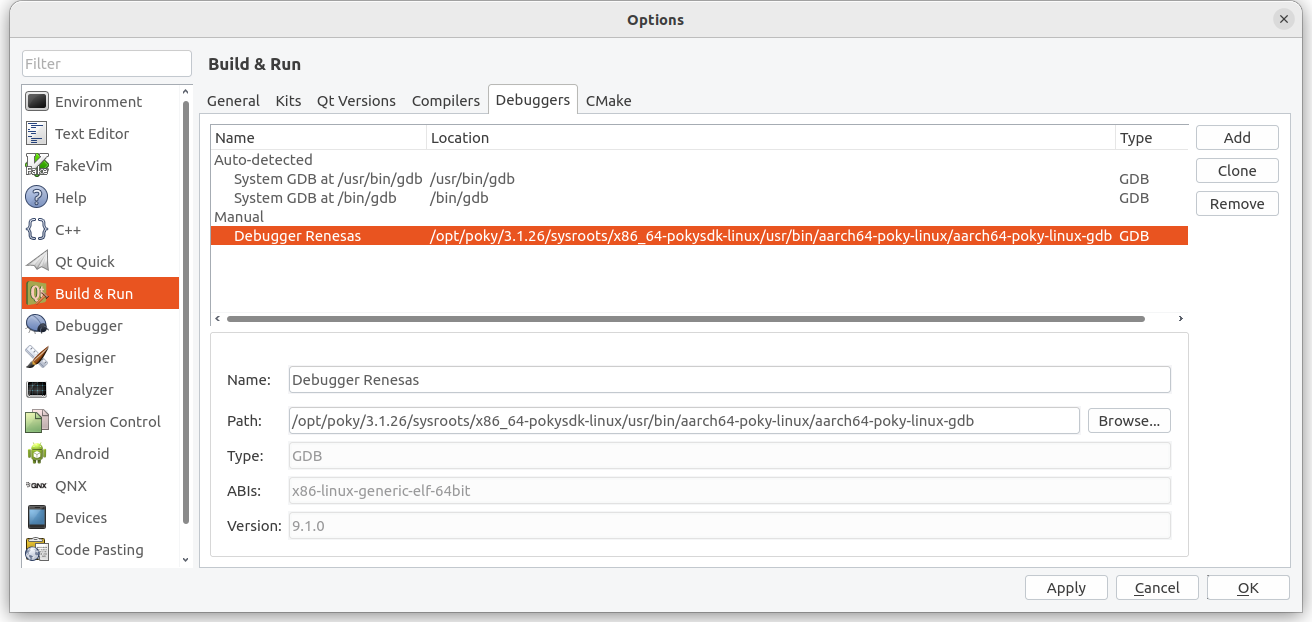
Manager on the right side, add and set the paths, or Choose from the Tabs on the upper items(Qt Version/ Compiler/ Debuggers ). Set all of the settings.
The below is a settings example
Device :
Select the Device in the previous step,
Sysroot :
/opt/poky/3.1.31/sysroots/aarch64-poky-linux
C Compiler : /opt/poky/3.1.31/sysroots/x86_64-pokysdk-linux/usr/bin/aarch64-poky-linux/aarch64-poky-linux-gcc
C++ Compiler : /opt/poky/3.1.31/sysroots/x86_64-pokysdk-linux/usr/bin/aarch64-poky-linux/aarch64-poky-linux-g++
Debugger : /opt/poky/3.1.31/sysroots/x86_64-pokysdk-linux/usr/bin/aarch64-poky-linux/aarch64-poky-linux-gdb
Qt Version : /opt/poky/3.1.31/sysroots/x86_64-pokysdk-linux/usr/bin/qt5/qmake
cmake : /opt/poky/3.1.31/sysroots/x86_64-pokysdk-linux/usr/bin/cmake
Screen captures for your reference,
After the settings, please make sure there are no
exclamation on the Kits icon, or you need to check if there are some errors need to be fixed.