2-5 Editing Recipes and Recompiling Yocto Project
Please ensure you already have a Docker container for Yocto project compilation.
Refer to Section 1-1 for setting up the Yocto build environment.
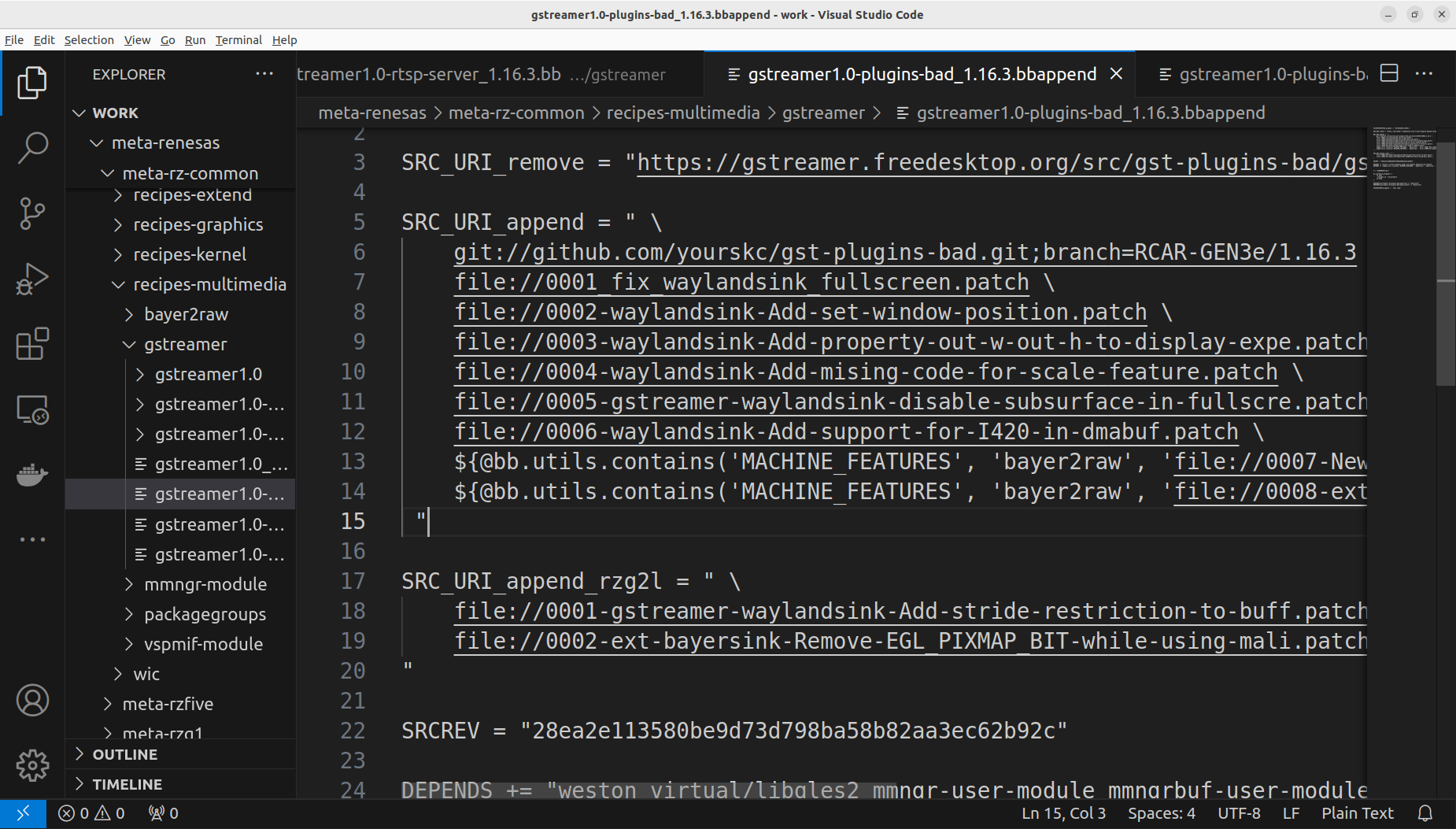
Edit the below .bbappend file in your Yocto project folder
meta-renesas/meta-rz-common/recipes-multimedia/gstreamer/gstreamer1.0-plugins-bad_1.16.3.bbappend
Modify the first line in SRC_URI_append:
SRC_URI_append = " \
git://github.com/yourskc/gst-plugins-bad.git;branch=RCAR-GEN3e/1.16.3 \
Insert the SRCREV line:
SRCREV="<commit ID>"
for example,
SRCREV="28ea2e113580be9d73d798ba58b82aa3ec62b92c"
As below,
Re-compile the Yocto image and write it to an SD card:
MACHINE=smarc-rzg2l bitbake core-image-qt
...

```bash
sudo bmaptool copy <image>.wic.gz /dev/sdX
Then we can perform testings on RZ/G2L
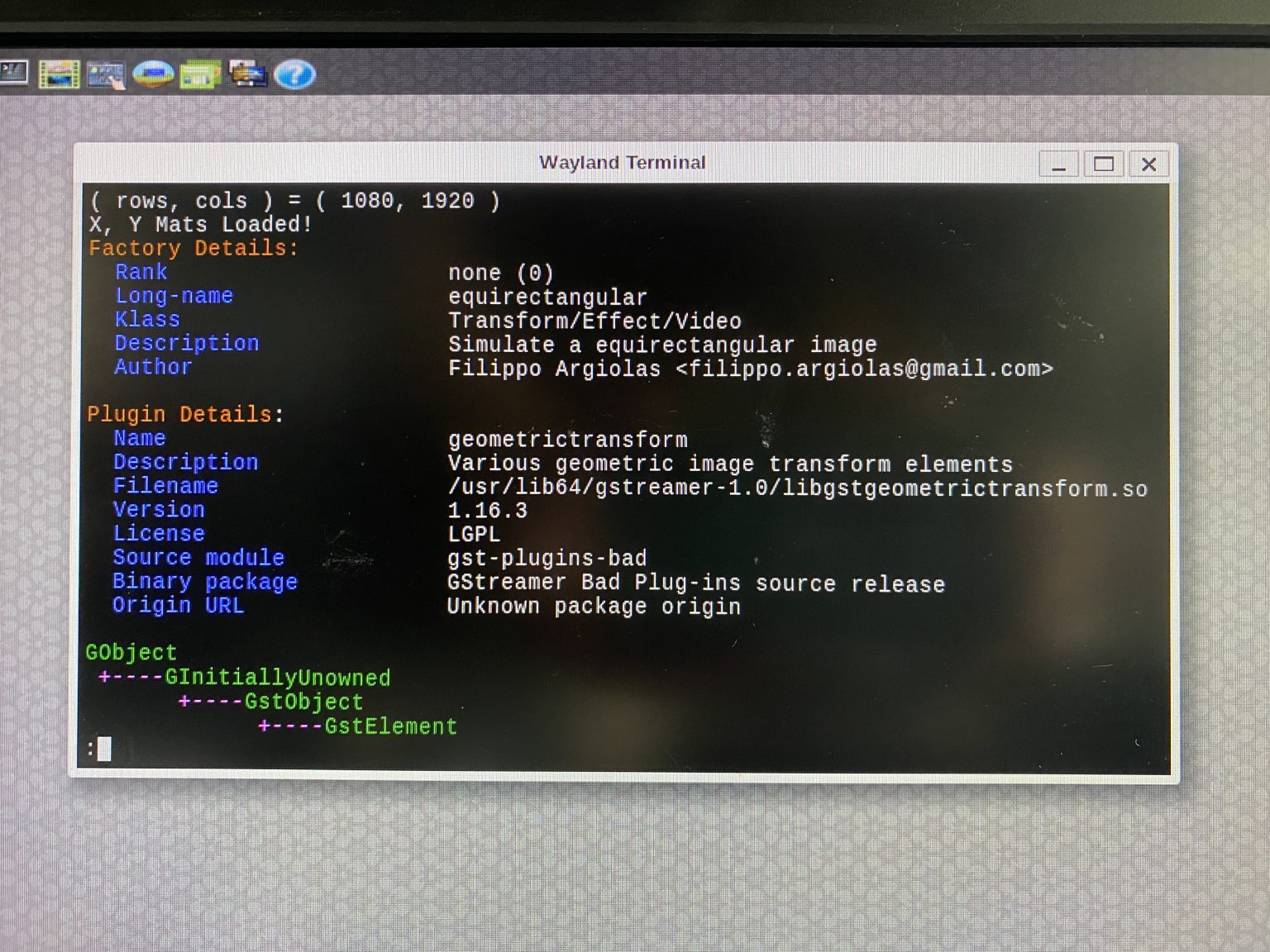
Boot the RZ/G2L board and verify if the library exist with:
gst-inspect-1.0 equirectangular
The output would be as below, it reveal the exist of equirectangular element in the Gstreamer library
Prepare working directories,
cd /home/root
mkdir gst-work
cd gst-work
transfer test data from PC:
scp -r user@IP:/path/to/test_env/* .
for example,
scp -r skc@192.168.0.105:/home/skc/gst-work/gst-plugins-bad-dev/test_env/* .
Ensure EquimatX and EquimatY are in the directory before
running of gst-launch-1.0 command with equirectangular
filter.
Suppose the resolution is 1920 x 1080, each points use 4 bytes, with additional 16 bytes header, the filesize will be 8,294,416 bytes
Caculation : 1,920 x 1,080 x 4 + 16 = 8,294,416